
Best Practices for Financial Reporting in Construction (Break Free From Manual Reports!)
Financial reporting can make-or-break contractors’ profits when navigating tighter markets and rising project complexity. This guide breaks down the pitfalls of manual reporting and shows how real-time insights can strengthen margins, improve forecasting, and fuel smarter decisions.



Table of Contents
Best Practices for Financial Reporting in Construction (Break Free From Manual Reports!)
Financial clarity has never been more critical in a tightening construction market where developers are slowing new project planning. Many construction companies still rely on manual financial reporting practices that can’t keep pace with today’s pressures.
Why Manual Financial Reporting Holds Construction Teams Back
Spreadsheets introduce delays and errors, ERP data often lags behind real conditions, and CFOs lose valuable time chasing information instead of guiding strategy. When visibility is limited, forecasting suffers — and so do margins, cash flow, and leadership-level decision-making. Consider this: bad data can be responsible for up to 14% of all rework in construction [PDF].
As financial data volume grows and project cycles become more unpredictable, construction teams need faster, more accurate financial insight to stay competitive and steer the business with confidence.
Enter ContractorBI™, the tool that transforms forecasting from a manual, inaccurate process into real-time insights to help construction finance leaders take control of their future success.
Here’s how financial reporting — like the reports found in ContractorBI — can benefit from automated, in-the-moment data, along with some best practices to improve financial reporting for your construction business.
What Financial Reporting Really Means in Construction
At its core, financial reporting in construction is about turning complex, fast-moving project data into informed decisions that protect margins, support financial stability, and keep jobs on track.
But without the right tools, that clarity is hard to come by. Too many teams still rely on static spreadsheets and outdated ERP exports, which often leads to fragmented, inaccurate financial reporting.
Tools like ContractorBI replace the manual work of construction reporting and also offer stronger insights for forecasting, managing cash flow, and improving overall project profitability.
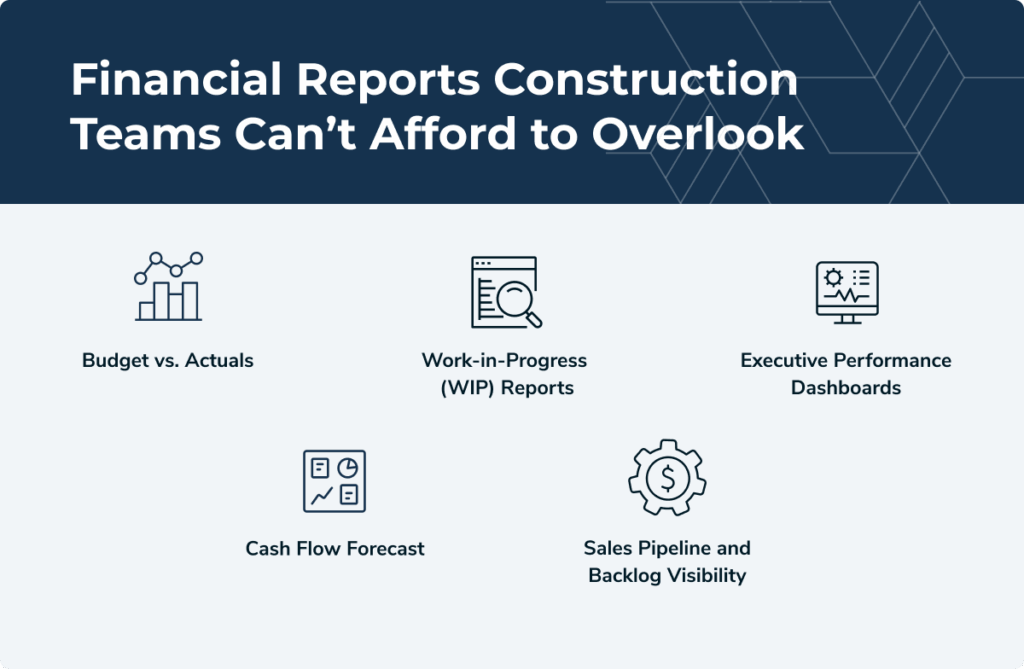
Key Financial Reports Construction Teams Can’t Afford to Overlook
Budget vs. Actuals
This is your first line of defense against margin erosion. A real-time budget vs. actuals report helps detect project cost overruns before they balloon out of control. The problem with lagging ERP exports or manually updated spreadsheets is that your data may not reflect actual costs or job site realities. When numbers lag days (or months!) behind, corrective action often comes too late.
Work-in-Progress (WIP) Reports
Accurate WIP reporting ensures you understand both job profitability and the true financial health of each project. Errors here can undermine long-term planning, distort revenue forecasts, mislead project stakeholders, and reduce trust in reporting processes.
Executive Performance Dashboards
Construction managers and financial leaders need a consolidated view of key performance indicators (KPIs), not fragmented reports from various departments. But many firms still operate with siloed dashboards that miss the metrics that matter or require days to compile. A single, high-level view of company health is exponentially more useful than spreadsheets from every department.
Cash Flow Forecast
Unpredictable cash flow is one of the biggest threats to a construction business. Static forecasting models pulled from spreadsheets can’t adapt fast enough to changes in billing cycles or payment lags. Without effective cash flow management and timely reporting, contractors risk falling behind on payments or failing to fund future projects. Accurate forecasts allow you to stay ahead of cash crunches and plan with greater confidence.
Sales Pipeline and Backlog Visibility
A lot of revenue planning fails because of inaccurate or outdated pipeline data. If you can’t trust your sales and estimating inputs, how can you plan for growth? The past doesn’t predict the future, but it provides a solid roadmap to start with. Accurate forecasting based on historical data and current inputs ensures better planning for future construction projects and more successful project outcomes.
6 Best Practices for Construction Financial Reporting
You didn’t become a CFO (or controller, or project leader) to spend your days copying and pasting data. But if your team is still building reports by hand, that’s exactly what’s happening.
And the real cost isn’t just the time. It’s the missed insights, the outdated numbers, and the errors that sneak in. Here are six practical best practices for financial reporting in the construction industry to modernize your process and get your team out of spreadsheet mode for good.
1. Consolidate Your Data Into One Source of Truth
How many times have you accessed three different systems only to find three different answers to the same question? Disjointed systems make it nearly impossible to maintain consistency or trust in your numbers. Integrating accounting, estimating, CRM, and project data into a single reporting source improves data integrity and ensures consistent and transparent communication across teams.
ContractorBI centralizes project, sales, and job financial data, streamlining reporting processes, protecting sensitive project information, and improving your company’s financial health.
2. Automate Core Reports
Most contractors waste hours each week copying and pasting from spreadsheets, accounting software, and project tools to build basic reports –– and often overlook minor errors that can lead to expensive mistakes. Automating these core reports eliminates manual data pulls and spreadsheet updates, saving teams hours of repetitive work while ensuring every report is generated consistently.
ContractorBI delivers automated, set-it-and-forget-it reporting to make this process seamless. Live data integrations with Sage or Procore keep data fresh, no manual consolidation required.
Some of the most common automated reports ContractorBI creates are:
- Budget vs. Actuals: Track project performance in real-time, compare to estimates, and quickly spot overages.
- Executive KPI Dashboards: Provide leadership with an at-a-glance view of revenue, backlog, and pipeline metrics.
- Sales Pipeline Reports: Forecast upcoming workload and revenue across teams or divisions using live CRM job data.
Businesses that leverage ContractorBI to automate their reporting get hours of time back each week and see consistency across teams and time periods, while reducing their risk of errors or outdated data. Best of all, they can enjoy confidence and peace of mind knowing the reporting they’ve presented to internal and external stakeholders is correct; no more apologizing for bad reporting or amending errors.
3. Tailor Reports to the Right Stakeholders
Not every team member needs every metric. In fact, giving them too much information slows decision-making and makes it less likely that they’ll adopt new reporting tools. ContractorBI was designed to avoid dashboard clutter and customize what each stakeholder sees with role-specific dashboards:
- CFO or Controller: With instant visibility into cash flow, backlog risk, budget vs. actuals, and profitability by job or client, finance leaders can protect margins and make faster, more confident decisions.
- Sales Manager: Seeing real-time pipeline activity, win/loss trends, and bid performance by rep or source helps sales leaders focus on the most promising opportunities and improve overall hit rates.
- Operations Leader: Access to labor forecasting, project timelines, and resource utilization enables operations teams to balance workloads, prevent bottlenecks, and keep projects moving efficiently.
- Project Manager: Clear views of task milestones, job cost trends, and punch list progress help project managers stay ahead of issues and deliver jobs on time and on budget.
The result? Stakeholders get only the insights that matter to them without digging through irrelevant data.
4. Use Real-Time Data, Not Lagging ERP Exports
Static spreadsheets are a breeding ground for bad decisions: the financial data is often stale the moment it’s exported; without reliable version control, it’s impossible to confirm whether you’re working from the original source or someone else’s outdated copy. Without real-time updates from a single authoritative dataset, project teams end up making decisions that don’t reflect actual project conditions, impacting project profitability, cost control, and the project’s financial health.
Dashboards that auto-update daily can save your construction business thousands each year, simply by preventing misinformed decisions and supporting better cash flow management. That’s why TopBuilder’s Construction Data Services are a necessary first step before ContractorBI financial reporting dashboards are generated. We’ll work with you to bring your accounting, project, estimating, and CRM data together into one unified hub, streamlining data collection and improving informed decision making.
5. Benchmark Performance Across Jobs and Divisions
Once your team is working from one unified dataset, the next step is turning that data into actionable comparisons. Benchmarking gives you the clarity to evaluate what’s working, and what isn’t, across different business areas. Real-time financial reporting and data visualization tools help reveal patterns in actual costs, indirect costs, and project profitability over time, supporting more accurate forecasting and informed decision making.
With ContractorBI, you can analyze performance by customer, estimator, or territory to spot underperformers before they become bigger problems. Visual dashboards make it easy to compare margin variation over time and understand where your backlog risk lies. These construction reporting processes help protect your company’s financial health and enhance construction reporting overall.
For example, you might uncover that a specific type of project in one region consistently outperforms new construction jobs in another or that bids from one lead source rarely turn into profitable work.
These are the types of patterns that can help you pivot strategies or shift sales focus to better protect your margins and achieve more successful project outcomes.
6. Identify and Eliminate Revenue Leaks
The multi-dimensional visibility ContractorBI provides allows your team to detect inefficiencies andprevent profit erosion across jobs, divisions, or processes.
Perform real-time variance analysis:
- Budget vs. actual cost tracking
- Live dashboards that flag when labor or material costs exceed projections, and allow you to drill down by cost type, cost code, and estimator
Spot underperforming job types or markets to avoid the trap of volume over value. Profitability dashboards allow you to:
- Identify job types that consistently under-deliver on profit
- Refocus sales efforts on more lucrative opportunities
Compare bids vs. outcomes. Analyze bid win rates, project profitability, and conversion trends across estimators or lead sources to:
- Optimize your pursuit strategy
- Eliminate time spent chasing low-margin jobs
How To Transition From Manual to Automated Reporting
Shifting from spreadsheets to construction project management software doesn’t have to be overwhelming. ContractorBI by TopBuilder streamlines the transition with ready-to-use dashboards, powerful data visualization tools, and white-glove onboarding to help your team transition smoothly.
Connect to your ERP or accounting system, choose from over 45 prebuilt dashboards, or create custom reports tailored to your stakeholders. With live data and smart reporting templates, you’ll spend less time building reports and more time making informed decisions.
Stop Wasting Time on Manual Reports
Manual reporting slows your team down, risks your data accuracy, and limits your visibility. By embracing best practices for accurate financial reporting in construction — and using a tool like ContractorBI — you’ll gain clarity into your company’s financial performance and project progress.
You’ll also:
- Strengthen financial stability
- Improve cost control
- Optimize resource allocation
- Reduce project delays
- Support better financial management and risk management
Now is the time to adopt standardized reporting templates, streamline data collection, and enhance construction reporting through automation. If you’re ready to move beyond manual reporting and give your team the clarity they need to perform at their best, you can experience the platform firsthand with a free 14-day trial.
Related Content

Project Bidding Made Easy for Electrical Contractors

Stop Wasting Time Chasing Dead Ends: Simplify Construction Bidding